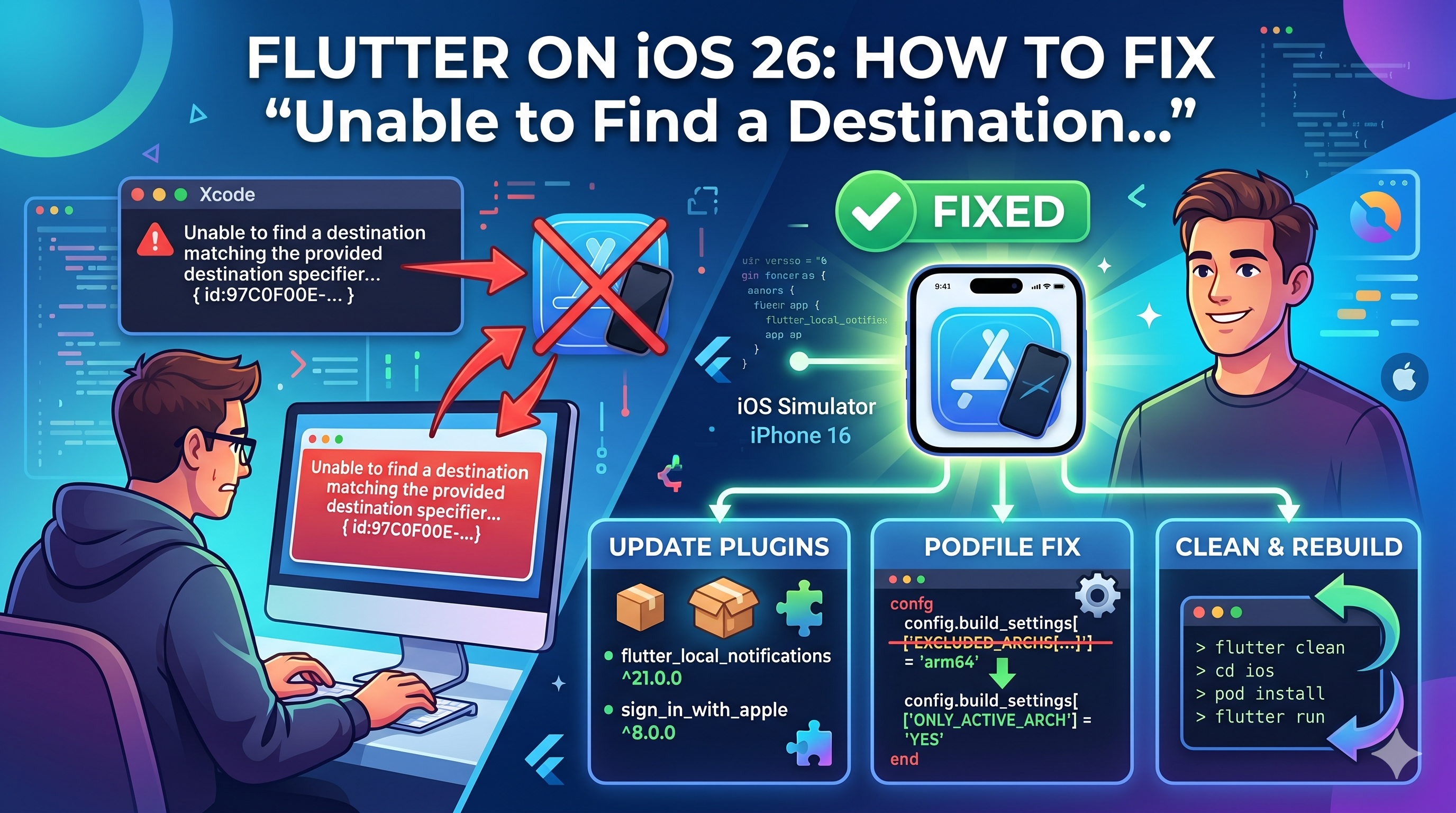
If you recently updated to Xcode 26 and tried running your Flutter app on an iOS simulator, you might have hit this wall:
Failed to build iOS app
Uncategorized (Xcode): Unable to find a destination matching the provided destination specifier:
    { id:97C0F00E-0A6D-4906-B6B6-1F96B591889A }

Available destinations for the "Runner" scheme:
    { platform:macOS, arch:arm64, variant:Designed for [iPad,iPhone], ... }
    { platform:iOS, id:dvtdevice-DVTiPhonePlaceholder-iphoneos:placeholder, name:Any iOS Device }
    { platform:iOS Simulator, id:dvtdevice-DVTiOSDeviceSimulatorPlaceholder-iphonesimulator:placeholder, name:Any iOS Simulator Device }
Your simulator is booted. It shows up in xcrun simctl list. Flutter even detects it in flutter doctor. But the build refuses to run.
I spent hours on this. Here's what's actually going on and how to fix it.
My Debugging Journey
It started innocently. I updated Xcode, opened my Flutter project, hit Run, and got the "Unable to find a destination" error. My first thought: the simulator must be broken. So I did what any reasonable developer would do — I restarted it. Then I deleted it and created a new one. Same error.
Okay, must be a project config issue. I ran flutter clean. I deleted DerivedData. I ran pod install again. I tweaked EXCLUDED_ARCHS in the Podfile — the classic StackOverflow fix that had saved me a dozen times before. Nothing. The same error, every single time.
Then I noticed the warnings about plugins not supporting arm64. "That's probably just a warning," I thought. Spoiler: it was not just a warning.
I ran flutter doctor — everything green. I ran xcrun simctl list — the simulator was right there, booted and waiting. I even checked the simulator UUID character by character against the error message. They matched perfectly. How can Xcode not find a simulator that clearly exists?
That's when I tried something out of frustration. I ran xcodebuild build directly, bypassing Flutter entirely, with the exact same destination ID. It built successfully. The app compiled, linked, and was ready to install. The simulator was fine. The code was fine. The project was fine.
The problem was invisible. Xcode was silently hiding my simulator from the destination list because some CocoaPods targets didn't declare arm64 support. Flutter queries that destination list before building and since the simulator wasn't listed, it gave up without even trying. A build that would have succeeded was never attempted.
The fix required upgrading three plugins, removing an architecture workaround from the Podfile that had been the "correct" fix for years, and adapting to a breaking API change in flutter_local_notifications. Each piece alone wouldn't fix it. It took all three.
Here's everything I learned, so you don't have to repeat my afternoon.
Why This Happens
Starting with iOS 26, Apple requires simulators on Apple Silicon Macs to run native arm64 binaries. The old workaround of excluding arm64 from simulator builds and running under Rosetta (x86_64) no longer works.
Here's the chain reaction:
- Some of your Flutter plugins use CocoaPods and haven't declared arm64 simulator support.
- When Xcode resolves available destinations for your scheme, it checks all build configurations (Debug, Release, Profile).
- If any CocoaPods target in any configuration excludes or doesn't support arm64 for the simulator SDK, Xcode refuses to list your specific simulator as a valid destination.
- Flutter's build tooling queries Xcode for the destination before building — and gets back "not found."
The maddening part? If you run xcodebuild build directly with the same destination, it succeeds. The failure happens specifically in the destination resolution step that Flutter triggers before the actual build.
The Usual Suspects
The plugins most likely causing this
flutter_local_notifications(versions below 21.0.0)sign_in_with_apple(versions below 8.0.0)permission_handler_apple(the iOS implementation ofpermission_handler)
You'll see warnings like this confirming the culprits:
The following target(s) do not support arm64 architecture,
which is a requirement for Apple Silicon iOS 26+ simulators:
  - flutter_local_notifications (Flutter plugin)
  - permission_handler_apple (Flutter plugin)
  - sign_in_with_apple (Flutter plugin)
How to Fix It
Step 1: Upgrade the Problematic Plugins
In your pubspec.yaml, bump the versions:
# Before
flutter_local_notifications: ^18.0.1
sign_in_with_apple: ^7.0.1
permission_handler: ^11.3.1

# After
flutter_local_notifications: ^21.0.0
sign_in_with_apple: ^8.0.0
permission_handler: ^12.0.1
Then run:
flutter pub get
The newer versions of flutter_local_notifications and sign_in_with_apple have migrated to Swift Package Manager, which properly supports arm64 simulators. This removes them from the CocoaPods dependency graph entirely.
Step 2: Fix Your Podfile
If your Podfile has an EXCLUDED_ARCHS rule for simulator builds, remove it. This is the old workaround that now actively breaks things.
Remove this pattern:
post_install do |installer|
  installer.pods_project.targets.each do |target|
    target.build_configurations.each do |config|
      # DELETE these lines:
      config.build_settings['EXCLUDED_ARCHS[sdk=iphonesimulator*]'] = 'arm64'
    end
  end
end
Replace with:
post_install do |installer|
  installer.pods_project.targets.each do |target|
    flutter_additional_ios_build_settings(target)
    target.build_configurations.each do |config|
      config.build_settings['ONLY_ACTIVE_ARCH'] = 'YES'
    end
  end
end
The key insight: Xcode checks all build configurations when resolving destinations. If your Release configuration excludes arm64 for the simulator SDK, Xcode won't list any arm64 simulator as a valid destination — even for Debug builds.
Step 3: Handle Breaking API Changes
If you upgraded flutter_local_notifications from v18 to v21, the API has changed from positional parameters to named parameters.
Before (v18):
await localNotifications.initialize(
  const InitializationSettings(
    android: AndroidInitializationSettings('@mipmap/ic_launcher'),
    iOS: DarwinInitializationSettings(),
  ),
);

localNotifications.show(
  notification.hashCode,
  notification.title,
  notification.body,
  NotificationDetails(...),
);
After (v21):
await localNotifications.initialize(
  settings: const InitializationSettings(
    android: AndroidInitializationSettings('@mipmap/ic_launcher'),
    iOS: DarwinInitializationSettings(),
  ),
);

localNotifications.show(
  id: notification.hashCode,
  title: notification.title,
  body: notification.body,
  notificationDetails: NotificationDetails(...),
);
Step 4: Clean and Rebuild
After making all changes:
flutter clean
cd ios
rm -rf Pods Podfile.lock
pod install
cd ..
flutter run
If pod install throws a UTF-8 encoding error (common with Ruby 4.0+), prefix the command:
LANG=en_US.UTF-8 LC_ALL=en_US.UTF-8 pod install
What If [object Object] Still Doesn't Support SPM?
As of writing, permission_handler_apple is still distributed via CocoaPods and hasn't fully adopted SPM. After upgrading the other two plugins, it may remain as the sole CocoaPods pod alongside the Flutter framework itself.
If it still blocks the simulator destination, the combination of:
- Removing
EXCLUDED_ARCHSfrom your Podfile - Setting
ONLY_ACTIVE_ARCH = YES
should allow Xcode to resolve the destination correctly, since the pod will be built as arm64 for the simulator rather than being excluded.
How to Diagnose This Yourself
If you're not sure which plugin is causing the issue, run:
xcodebuild -showdestinations \
  -workspace ios/Runner.xcworkspace \
  -scheme Runner
If your specific simulator doesn't appear in the list (only placeholder entries show), you have an arm64 compatibility problem in your CocoaPods targets.
To confirm the build itself works:
xcodebuild build \
  -workspace ios/Runner.xcworkspace \
  -scheme Runner \
  -destination 'platform=iOS Simulator,name=iPhone 16e'
If this succeeds but flutter run fails, you've confirmed it's the destination resolution issue, not an actual compilation problem.